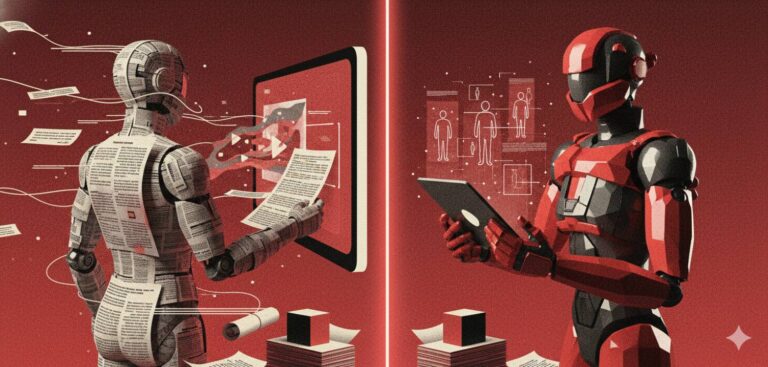
If you’re still handing employees PDFs and expecting them to read them, you already know the truth: they don’t. HR teams spend hours preparing policy updates, onboarding packs, compliance manuals, only to watch completion rates stall and support queries pile up.
Traditional training formats aren’t failing because the content is wrong. They’re failing because the delivery is outdated.
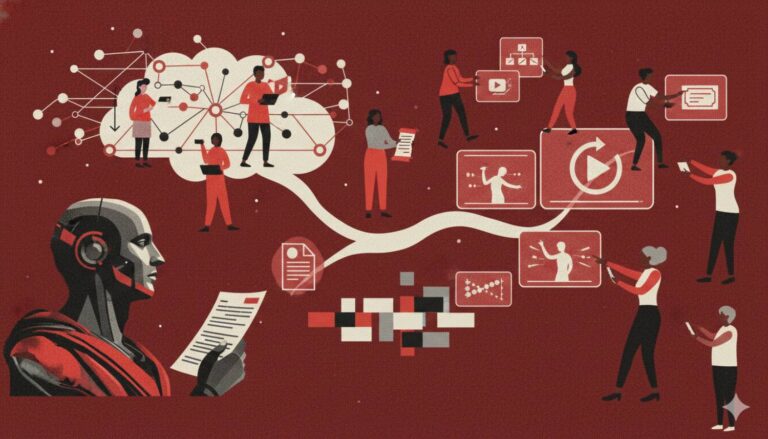
Today’s distributed teams skim, multitask, and learn visually. Static documents are invisible in this workflow. Explainer-style, interactive video training is what actually gets finished and with AI automation, HR teams don’t need designers, editors, or production budgets to make it happen.
This shift isn’t optional anymore. Whether you’re rolling out compliance changes, onboarding at scale, or converting long HR docs into something employees will actually engage with, automation is the only way to keep pace. HR leaders adopting AI-generated explainers are seeing faster rollouts, fewer repetitive questions, and clearer employee understanding across the board.
And because this article sits under remote HR tools, everything here applies even if you’re managing distributed teams across time zones.
The biggest unlock? Tools like Docustream let you turn long documents into interactive explainer-style training experiences in seconds, not weeks: making it the most practical starting point for teams looking to automate their training pipeline.
Why PDFs Fail HR Teams (and What Explainers Actually Fix)
HR teams didn’t choose PDFs because they’re effective, they chose them because they were the only format they could ship fast.
But PDFs break the moment you try to use them for real training. Here’s why they consistently underperform:
1. Employees don’t read long documents
Attention is scarce. A 20-page policy doc is competing with Slack pings, meetings, and context switching. Even when employees open PDFs, they rarely finish them. Completion doesn’t equal comprehension.
Explainers fix this: short visual sequences, narration, and clickable interactions guide people through what matters, no scrolling required.
2. PDFs hide the signal
You can’t track if someone read page 5. You can’t see where they got stuck. You can’t measure actual understanding. You only know one thing: “Downloaded.”
Explainer-style training flips that. HR teams get timestamps, engagement drops, quiz results, and completion data that feed directly into better training.
3. Policy changes become manual, messy rollouts
Edit a PDF → export → send a new email → resend reminders → hope people read it again. This is why compliance and onboarding updates take weeks.
AI-powered explainers update instantly: Drop in the new PDF → generate the video → publish → done. This aligns directly with how interactive HR documents need to scale inside distributed teams.
4. PDFs depend too much on “self-motivation”
Static content demands effort. Employees skim. Skip. Forget. Misinterpret.
Explainers add structure: voiceover, visuals, pacing, to reduce cognitive load. This is why they consistently perform better in compliance training videos.
5. They create more support queries
When employees don’t understand something in an HR policy, they email HR. And HR teams end up explaining the same thing again. And again.
Explainers cut this dramatically because the content is clearer and with AI-generated interactive layers, employees can ask questions inside the training itself instead of reaching your inbox.
This solves one of the biggest bottlenecks identified in most remote HR tools.
6. PDFs don’t match modern learning behavior
People remember what they see, hear, and interact with. They don’t remember what they skim.
Explainers bring in narrative, pacing, visuals, and micro-interactions, the same elements that employees already consume naturally on YouTube, TikTok, and internal video platforms.
Distribution: How to Ensure Employees Start and Finish Your Training
Automation doesn’t matter if no one watches the training. HR teams struggle not because their content is bad, but because their distribution systems are working against them.
Here’s how to fix that, so employees actually start and finish what you send.
1. Deliver training at the moment of relevance
Sending a 30-page onboarding PDF on Day 1 guarantees low retention. Employees are overwhelmed and can’t absorb anything. Explainers let you break training into timely chunks:
- Company overview → before Day 1
- Security basics → right before laptop setup
- HR policies → right before they need them
- Compliance modules → right before deadlines
This aligns naturally with best practices found in employee onboarding mistakes handbook. Context = higher completion!
2. Remove the login friction
Every extra authentication step kills engagement. Employees will skip training if they need to:
- Create an account
- Log in again
- Download files
- Remember passwords
Explainer-style formats remove this by opening instantly. No downloads. No zip files. No portals. Just tap → watch → finish.
This is exactly why AI-generated training performs better than static PDFs, making the friction disappear.
3. Use multi-channel distribution
Relying only on email is why employees miss training. Automated explainers allow distribution across:
- Slack or Teams
- SMS for urgent compliance
- Onboarding portals
- Internal knowledge bases
- Monthly HR digests
When training meets people where they already are, completion numbers rise without you chasing reminders manually.
4. Trigger-based automation beats “mass blasts”
Most HR training needs are tied to events:
- A new employee joins
- A policy changes
- A role requires specific training
- A compliance deadline is coming
- A manager moves someone to a new team
Instead of manually sending PDFs every time, HR can automate explainers through simple triggers:
- “when employee is created → send onboarding explainer”
- “when PDF is updated → regenerate new version → auto-notify”
- “when compliance training expires → deliver refresher explainer”
This is the actual meaning of HR training automation, not generic theory.
5. Support on-demand access
Employees should be able to revisit training without digging through inboxes. Explainers become part of a living, reusable knowledge library:
- Onboarding
- Compliance
- Workplace conduct
- IT & security
- Performance management
- Manager training
This keeps HR from repeating the same explanations month after month. And because these assets can live inside interactive HR documents, nothing ever gets “lost.”
6. Use reminder logic that respects attention
Annoying reminders tank motivation. Smart reminders are based on behavior:
- “Didn’t start”
- “Watched 20%”
- “Paused at minute 4”
- “Skipped mandatory section”
Explainer-style content lets you automate reminders that feel more like nudges than nagging. This tech doesn’t exist with PDFs.
Measurement: From View to Actual Employee Understanding
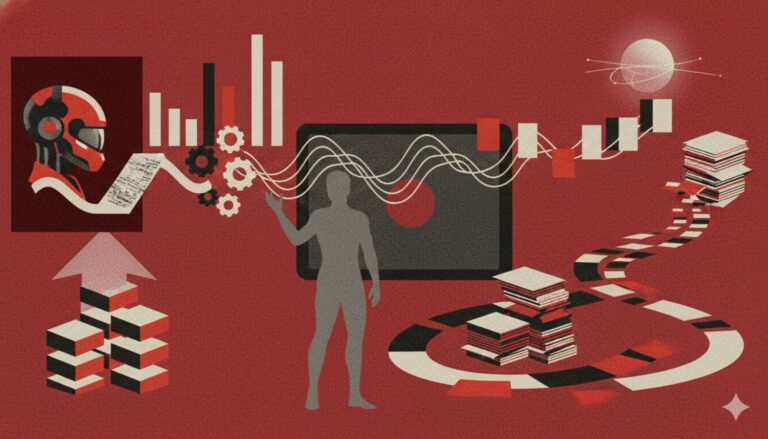
HR teams don’t struggle with “training delivery.” They struggle with knowing whether the training actually landed. PDFs give you zero signal. Explainer-based training gives you a complete picture of what people watched, understood, and acted on.
Here’s how modern teams measure training the way it should’ve always been measured:
1. Completion that reflects real behavior
A PDF can be “completed” by accident. An explainer can’t. When someone watches an AI-generated explainer, you see how much they actually progressed, not just whether they clicked the file.
And the moment you see a pattern like “everyone drops off after the policy examples,” you instantly know what needs rewriting. No guessing. No assumptions.
2. Comprehension that’s visible, not assumed
Inside an explainer, you can insert quick micro-checks: one question after a tricky policy, one prompt after a compliance rule, one scenario after a process change.
This doesn’t turn the training into a quiz. It just tells you who understood what, and who didn’t.
HR finally gets proof of learning instead of hoping employees absorb dense policy text. This matters even more for compliance training videos where accuracy isn’t optional.
3. Insight into where confusion actually happens
When the same section gets rewatched twice or people pause right after a policy example, it’s a signal. Not a problem, a signal.
Explainers surface these friction points instantly. PDFs can’t. This lets HR teams adjust tone, simplify sections, add voiceover clarity, or create a visual example where words keep failing.
It’s the difference between “employees don’t understand the leave policy” and “employees don’t understand this specific part of the leave policy.”
4. Interaction data that reveals intent, not just clicks
A static file gives you one metric: opened/not opened. Explainers reveal curiosity.
When employees tap “Show me an example,” rewind a concept, or open an optional clarification layer, you see what they genuinely care about and what they struggle with.
AI-driven layers even allow on-video Q&A, so employees ask questions inside the training instead of messaging HR. That’s real training insight, not inbox noise.
5. Training outcomes that connect to actual HR results
This is where the measurement becomes meaningful. Because explainer analytics tie directly into:
- How quickly new hires get productive
- How often compliance errors drop
- How many HR questions disappear
- How consistently teams follow new policies
Training stops being an isolated activity and becomes part of your operational system. This is the core advantage HR teams get when they shift from PDFs to dynamic formats, especially for distributed setups built around remote HR tools.
6. Reporting that runs itself
Explainer platforms generate training insights automatically. So,:
- You don’t chase anyone.
- You don’t follow up manually.
- You don’t build spreadsheets.
Weekly summaries, overdue lists, and comprehension gaps appear without HR touching anything and every update feeds into the next round of training. It’s the closest HR can get to a self-improving system.
Realistic Formats HR Teams Can Ship This Month
Most HR teams think “video training” means scripts, editing, voiceovers, motion graphics, and two weeks of back-and-forth with a designer. That used to be true.
Now? You can generate high-quality explainers straight from your PDFs, in the same time it takes to make coffee.
Below are the formats HR can produce immediately, without production overhead or creative bottlenecks.
Short Policy Explainers (The Fastest Win)
Every HR team has a PDF graveyard: leave policy, remote work rules, conduct guidelines, reimbursement SOPs.
Turn each of these into a 45–90 second explainer that says: What’s changing → What employees need to do → Real example → Done.
No scrolling. No searching. No “pls read this.” Just the essence, delivered clearly and consumed instantly. Works especially well when embedded inside interactive HR documents.
Day-One Essentials for New Hires
Instead of overwhelming new hires with a handbook, break onboarding into timed explainers:
- Culture and values
- Laptop setup
- Leave process
- Payroll basics
- Team expectations
Send each video at the exact moment they need it, not all at once.
Compliance Videos That Don’t Feel Like School
Compliance isn’t about entertainment, it’s about clarity. Your goal is not “fun,” it’s “finished and understood.”
Turn mandatory docs into short, structured explainers that cover:
- The rule
- The context
- The expected behavior
- The boundary
- One quick check for understanding
These formats consistently outperform raw PDFs, especially when you rely on compliance training videos as the backbone.
Scenario-Based Clips
This is where video beats text every single time. You’re not telling employees the rule, you’re showing exactly how it plays out.
Examples:
- A 20-second clip of a correct reimbursement vs. a rejected one.
- A security do-and-don’t visual.
- A sample hybrid work scenario.
People remember scenarios far better than definitions.
Manager Micro-Lessons
You don’t need a leadership academy. You need 60 to 90 second clips that managers can consume between meetings.
Things like:
- Delivering feedback
- Handling policy escalations
- Running 1:1s
- Managing performance conversations
These micro-lessons quietly standardize how managers operate across the org.
Rapid Policy-Change Announcements
A policy changes. HR updates the PDF. HR sends it. Employees… ignore it. Instead, ship a 30-second “What’s new” explainer:
- What changed
- Why it matters
- Who it affects
- What to do differently
Docustream can even regenerate the video automatically when you upload an updated PDF, the fastest way to keep training current without recutting anything.
SOP-to-Explainer Conversions for HR Ops
Most internal HR errors come from inconsistent process follow-through. Convert your internal SOPs into short explainers:
- How to process payroll inputs
- How to submit vendor paperwork
- How to run background checks
- How to log internal investigations
This reduces onboarding time within HR and makes cross-team collaboration smoother.
Tools to Consider
HR teams don’t need a long shopping list. You need one primary tool for automated training creation, and a few supporting platforms to distribute or track it. This section keeps it practical: what each tool is for, when to use it, and why it matters in an automated training workflow.
Docustream (Your Core Training Automation Engine)
Most HR teams start here because it tackles the hardest part: turning long HR documents into clean, watchable, interactive training explainers, automatically!
Upload a PDF → generate an explainer → add interactions → publish. That’s the workflow. No editing tools, no timelines, no voiceover work. You get:
- Instant PDF-to-explainer conversion
- Quizzes and checkpoints
- Interactive layers
- Analytics and drop-off data
- Auto-regeneration when a policy changes
- Secure sharing for distributed teams
This is the fastest, most reliable way to automate training creation itself, the part that normally drains weeks.
Your Existing HRIS (for distribution & automation triggers)
BambooHR, Personio, Rippling, Darwinbox, anything your org already uses can distribute explainers automatically. Think of it this way:
- Employee added → send onboarding explainer
- Policy updated → distribute new explainer
- Training deadline → send final reminder
You’re not replacing the HRIS. You’re making it smarter by feeding it training that employees actually finish.
Slack / Teams (for instant delivery)
Explainers perform best when they show up where employees already spend their day. Delivering training inside Slack or Teams removes:
- Login friction
- Portal fatigue
- The “I’ll check this later” drop-off
It also lets you thread questions, run follow-ups, and keep compliance nudges lightweight.
LMS (if you need a formal training layer)
If your org already uses Docebo, TalentLMS, or 360Learning, explainers slot right in. Instead of uploading 40-page PDFs, you upload the generated videos.
This gives you:
- Trackable modules
- Auto-reminders
- Certification paths
- Audit-ready logs
The LMS becomes the container. The explainer becomes the content people actually learn from.
Knowledge Bases (for long-term access)
Confluence, Notion, Guru: these platforms are perfect for storing evergreen explainers employees can revisit without digging through inboxes.
A simple structure works:
- HR policies → explainer
- Compliance → explainer
- IT onboarding → explainer
- Manager toolkit → explainer
Your knowledge base becomes visual and actionable instead of a PDF archive.
Compliance Tools (for mandatory training)
If you run industry-specific compliance (finance, healthcare, security), your compliance platforms can track completion, but they can’t explain content well. Pair them with explainers for much higher comprehension.
PDF for legal record → Explainer for actual understanding → Compliance platform for final acknowledgment.
This is the modern compliance stack used across distributed teams in the remote HR tools ecosystem.
FAQs
1. Why should HR teams replace PDFs instead of improving them?
Because the problem isn’t the document. It’s the format. Employees don’t absorb long text, can’t recall it later, and rarely finish it. Explainers give you structure, pacing, narration, and interaction, which means higher comprehension with less effort from the employee. PDFs rely on motivation; explainers rely on clarity.
2. Do explainers work for distributed or remote teams?
Yes, they work even better. Remote teams miss hallway conversations, shadowing, and on-the-job observation. Explainers fill that gap with clear, visual walkthroughs employees can revisit anytime. They also eliminate timezone friction because training becomes asynchronous but still consistent.
3. What kinds of HR training are easiest to automate first?
Start with anything repetitive: onboarding basics, leave policies, reimbursement steps, compliance reminders, hybrid work rules, IT setup, and code-of-conduct updates. These are the documents that currently generate the most questions, which means they deliver the fastest reduction in manual HR workload when converted to explainers.
4. How do I know if explainers are actually improving learning?
You’ll see it immediately. Fewer clarification emails, higher completion rates, fewer errors, and less back-and-forth on policy questions. Explainers also give you analytics that PDFs can’t: where people stop, rewind, ask questions, or fail to understand something. That data becomes your proof.
5. Will employees take video training seriously?
Yes, because it isn’t “video” in the entertainment sense; it’s structured guidance. People pay attention when information is easy to understand and doesn’t demand effort. Short explainers with examples and checkpoints feel like a colleague walking them through the process, not a lecture.
6. Can explainers fully replace instructor-led sessions?
Not always, but they dramatically reduce the load. Routine walkthroughs, policy updates, recurring questions, and onboarding basics no longer need live sessions. Your live time can then focus on discussions, exceptions, and human decisions instead of reading from PDFs.
If you’re still sending PDFs, you’re slowing down your entire HR engine. Employees don’t learn from them, managers can’t reinforce them, and HR ends up repeating the same explanations every month.
Create your first interactive training explainer with Docustream today: https://docustream.ai/




![How Much Does AI Video Software Cost in 2025_ [Comparison Guide]](https://bd785c30.delivery.rocketcdn.me/wp-content/uploads/2025/12/How-Much-Does-AI-Video-Software-Cost-in-2025_-Comparison-Guide-768x493.jpg)